Cedar-Powered Permissions
Access control that's provably correct
Rocketadmin uses Cedar — the open-source authorization engine behind AWS Verified Permissions — to evaluate every access decision. Default-deny, formally verified, sub-millisecond.
Why Cedar
Enterprise authorization, built in
Cedar is Amazon's open-source policy language, formally verified with mathematical proofs of correctness. It powers AWS Verified Permissions used by enterprises worldwide.
Default-deny security
If no policy explicitly permits an action, access is denied. Forbid always overrides permit — no accidental escalation.
Human-readable policies
Cedar policies read like English. Non-technical admins can understand exactly what each permission rule does.
Formally verified
Built with mathematical proofs using the Lean proof assistant. One of the only authorization languages with this guarantee.
Sub-millisecond evaluation
Every permission check runs in under a millisecond. No lag, no waiting — authorization at the speed of your database queries.
RBAC + ABAC combined
Go beyond simple roles. Combine group membership with attribute conditions like row ownership, time of day, or MFA status.
Open source, AWS-backed
Not a proprietary black box. Cedar is open source on GitHub with Amazon Science research and OOPSLA 2024 publication.
Policy Examples
Readable policies, precise control
Cedar policies express complex access rules in a syntax anyone can understand. Here's how Rocketadmin translates your permission settings into Cedar.
principal in Group::"SupportTeam",
action in [Action::"Read"],
resource == Table::"orders"
);
Support team can view orders, but nothing else
principal,
action == Action::"Read",
resource == Field::"employees.salary"
)
unless {
principal in Group::"HR"
};
Only HR can see the salary column
principal in Group::"Editors",
action in [Action::"Read", Action::"Update"],
resource in Connection::"production"
);
forbid (
principal in Group::"Editors",
action == Action::"Delete",
resource
);
Editors can read and update, but never delete
principal,
action in [Action::"Delete", Action::"BulkUpdate"],
resource
)
unless {
context.mfaAuthenticated == true
};
Destructive actions require MFA verification
Access Levels
Granular control at every level
Cedar policies cascade from connection level down to individual fields and rows. Set it once, and every team member gets the right view.
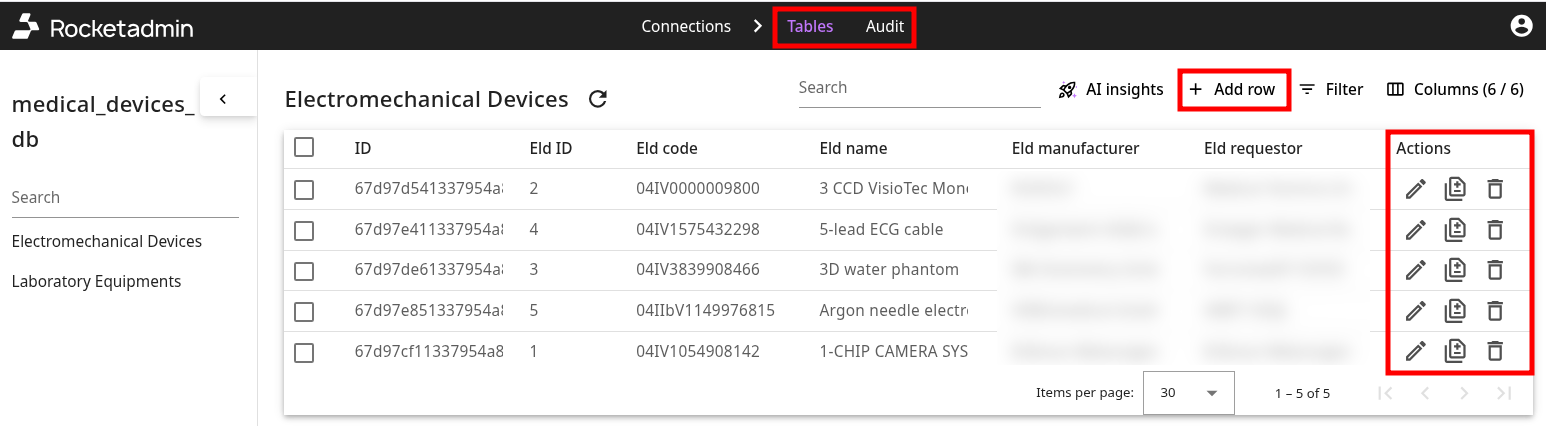
Connection access
Control which databases and connections each group can access
Table-level access
Show or hide entire tables per user group — support sees customers, not billing internals
Field-level control
Hide sensitive columns like SSN or salary from groups that shouldn't see them
Action permissions
Allow read-only for some groups, full CRUD for others — per table, per group
User Groups
Organize by team and role
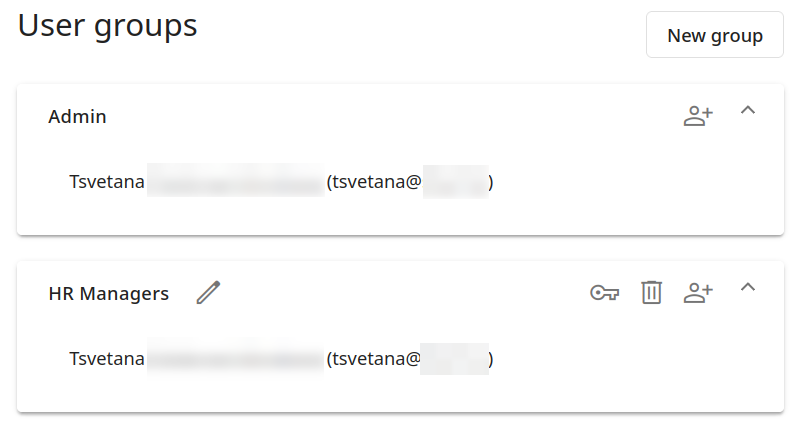
Create groups that mirror your organization. Assign permissions once and add team members as they join.
- Unlimited user groups
- Role management per group
- Team invitations via email
- Company administration
- Shared database connections
- 2FA authentication per user
Explore more features
مستعد لبناء لوحة الإدارة؟
انضم إلى أكثر من 1,000 فريق. ابدأ في دقائق وليس أشهر.
لا حاجة لبطاقة ائتمان · خطة مجانية للأبد